iOS & iPadOS PWA Guide
How to Install GTracker on iPhone & iPad
Follow these simple steps in Safari or Chrome to add GTracker directly to your Home Screen.
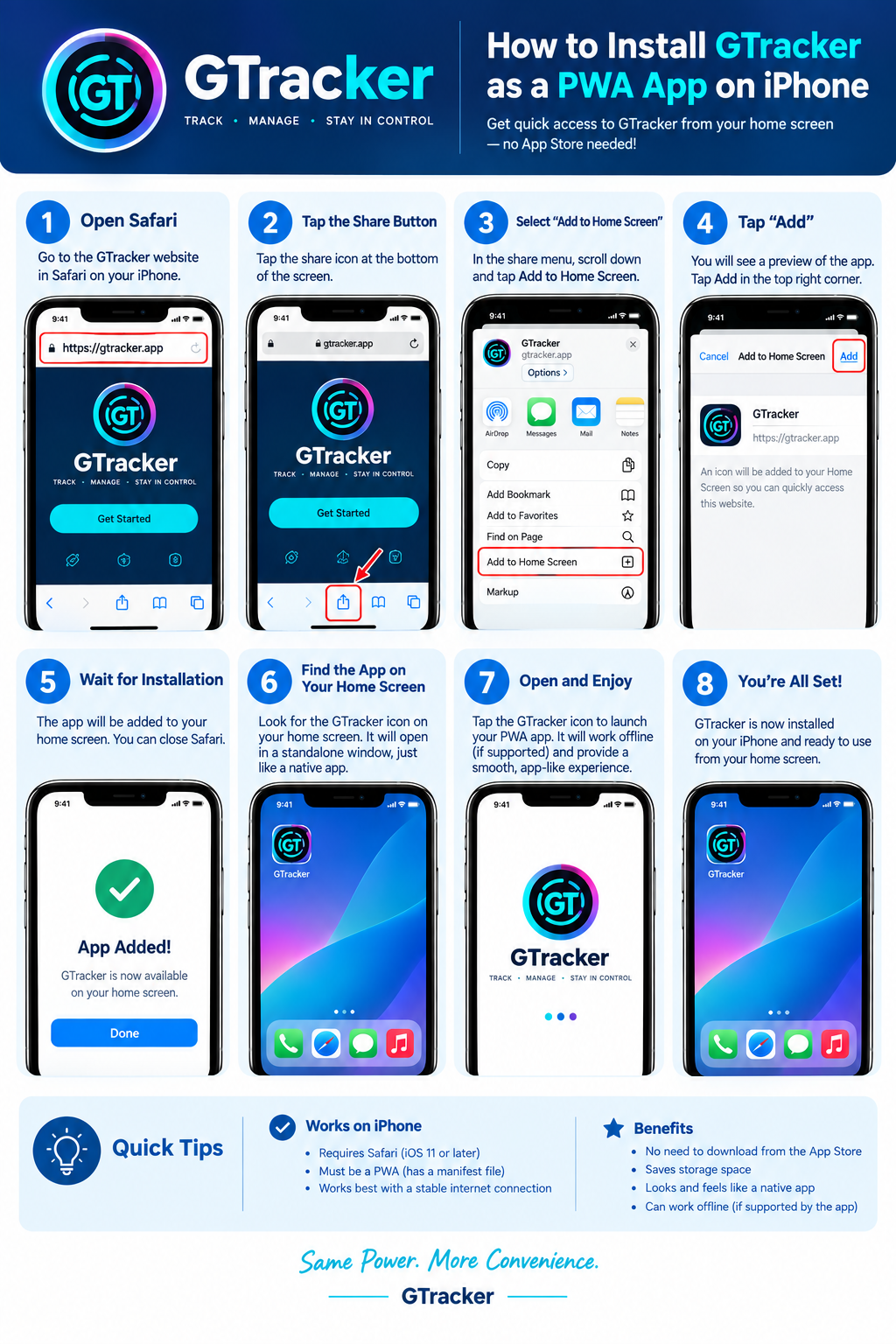
Official Installation Diagram
Pinch or zoom for details
1
Open in Safari
Visit the GTracker link using Safari on your iPhone.
2
Tap Share Icon
Tap the share button at the bottom of the screen.
3
Add to Home Screen
Scroll down the share options and select Add to Home Screen.
4
Tap Add & Enjoy
Tap Add in the top right. Launch full-screen anytime!